
Summary
A baseball fan who wants every score, recap, and replay in 2026 faces a price range that runs from exactly $0 to well past $1,000 a year. The free MLB App still pushes live Gameday pitch tracking and final box...
Table of contents
- 1 How MLB Score and Recap Pricing Got Here
- 2 Free Ways to Follow MLB Scores and Recaps
- 3 Paid Streaming and Subscription Tiers for 2026
- 4 Data Feeds and APIs: What Developers Pay
- 5 What Actually Drives the Price Differences
- 6 Choosing a Service for Your Budget and Use Case
- 7 How to Build a Low-Cost MLB Score-Tracking Stack in Under an Hour
- 8 Hidden Costs and Common Mistakes That Inflate Your MLB Bill
- 9 Frequently Asked Questions
- 9.1 Is there any way to follow MLB scores completely free in 2026?
- 9.2 How much does MLB.TV cost for the 2026 season?
- 9.3 Why did MLB streaming options change for 2026?
- 9.4 What do developers pay for MLB score data?
- 9.5 Are premium written recaps worth paying for?
- 9.6 Do blackouts make MLB.TV more expensive than it looks?
- 10 Sources
A baseball fan who wants every score, recap, and replay in 2026 faces a price range that runs from exactly $0 to well past $1,000 a year. The free MLB App still pushes live Gameday pitch tracking and final box scores to any phone, while a stacked bundle of MLB.TV, a live-TV service, and a premium writing subscription can clear four figures annually. According to pricing listed on MLB.com, the league’s flagship out-of-market streaming package alone sits near $149.99 for a full season. Understanding where the real costs hide, and where they vanish, is the difference between paying for coverage you already get for free and missing the one feature you actually need.
This guide breaks down what consumers and developers pay for Major League Baseball recaps, live scores, and underlying data in 2026, with named sources for every figure. We separate the genuinely free tools from the paid tiers, explain why the November 2025 media-rights shake-up changed the menu, and show how to match a service to how you actually follow the sport.
How MLB Score and Recap Pricing Got Here
Following a baseball game used to mean a newspaper box score the next morning or a transistor radio in the evening. MLB.TV, launched in 2002 and described in detail on its Wikipedia entry, was one of the first major sports streaming products in the United States and set the template for paid out-of-market packages. For two decades the pricing logic stayed stable: national broadcasts on cable, local games on regional sports networks, and an out-of-market streaming tier for everyone outside their home team’s footprint.
That stability cracked in 2025. The Associated Press reported through its MLB coverage hub that the league and ESPN mutually opted out of their national television contract after the 2025 season, ending a relationship that had run since 1990. In November 2025, MLB announced a new set of three-year media agreements beginning in 2026 with ESPN, NBCUniversal, and Netflix, a structure the AP characterized as the most fragmented in the sport’s modern history. The practical result for fans is that the path to a given game now depends on the day of the week and the broadcaster more than it ever did.
Recaps and written summaries followed a parallel arc. What was once a single morning column became a layered market: free league-published recaps, ad-supported sports sites, and premium subscription journalism. If you want to understand the editorial product itself before comparing what it costs, our explainer on what an MLB game summary actually contains sets the baseline.
Free Ways to Follow MLB Scores and Recaps
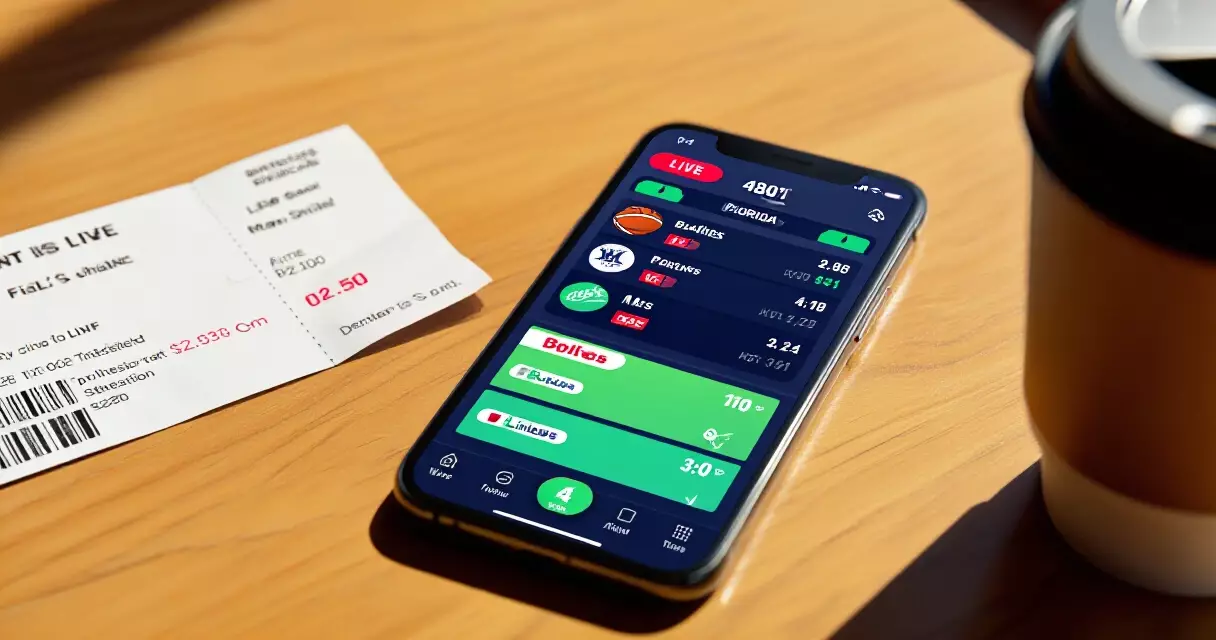
The most important fact about MLB scores in 2026 is that the core data costs nothing. The official MLB App, available on iOS and Android, provides free live scores, inning-by-inning Gameday pitch tracking, and post-game box scores for every team, as documented on MLB.com. Google’s search results, Apple News, and most general sports apps surface the same final scores within seconds of the last out, drawing on the league’s public data feed.
League-published recaps are also free. After every game, MLB.com posts a written summary with key plays, quotes, and a statistical wrap, and these are syndicated widely at no charge to the reader. Free coverage does come with trade-offs: out-of-market live video is usually blacked out, the deepest analytics sit behind paywalls, and ad load can be heavy. Still, a fan whose only goal is scores and a solid summary can spend zero dollars all season. If your interest is reading the box score that anchors those free recaps, our guide to reading an MLB box score walks through every column.
Radio remains a quietly durable free option. Most clubs stream local radio broadcasts at no cost through team sites, and national radio calls reach a large audience without a subscription. The gap between free and paid, in other words, is rarely about the score itself. It is about live video, depth, and convenience.
Paid Streaming and Subscription Tiers for 2026
Paid coverage splits into two buckets: video streaming, where you watch games live, and editorial subscriptions, where you read deeper analysis. MLB.TV is the anchor product. Pricing published on MLB.com lists the full-season, all-teams package near $149.99, with a single-team option around $129.99 and a monthly plan in the $29.99 range during the season. A standing limitation, noted on the MLB.tv Wikipedia page, is that out-of-market rules black out games involving your local club, which pushes many fans toward a regional or live-TV add-on.
The other live tiers shifted with the 2026 rights deals. ESPN’s direct-to-consumer app, which launched its unlimited tier in 2025 at roughly $29.99 per month according to AP reporting, became a primary national home for select MLB games. NBCUniversal’s Peacock carries a Sunday package, and Netflix took on event programming including the Home Run Derby. Live-TV bundles such as YouTube TV, listed near $82.99 per month, remain the simplest way to capture regional broadcasts in one place. The table below summarizes representative 2026 consumer pricing.
| Service | What you get | Representative 2026 price | Source |
|---|---|---|---|
| MLB App (Gameday) | Live scores, pitch tracking, box scores, league recaps | Free | MLB.com |
| MLB.TV (all teams) | Out-of-market live and on-demand games | ~$149.99 / season | MLB.com |
| MLB.TV (single team) | One club’s out-of-market games | ~$129.99 / season | MLB.com |
| ESPN app (unlimited) | National MLB games plus broader ESPN content | ~$29.99 / month | Associated Press, 2025 |
| YouTube TV | Live-TV bundle including regional sports networks | ~$82.99 / month | YouTube TV listing |
| The Athletic | Premium written recaps, beat reporting, analysis | ~$7.99 / month | The Athletic listing |
On the editorial side, premium written recaps and beat coverage typically run a fraction of video pricing. A standalone analysis subscription often lands near $7.99 per month or roughly $72 per year, frequently discounted in annual or bundled offers. For most readers the question is not whether the recap is good but whether the extra depth, advanced metrics and beat-writer context, justifies the spend over the free league summary. Readers weighing that choice may find our breakdown of game summary versus box score versus play-by-play useful for deciding which format they actually consume.
Data Feeds and APIs: What Developers Pay
Behind every score widget and recap generator sits a data feed, and this is where pricing becomes genuinely technical. Major League Baseball operates a public statistics endpoint (commonly referenced as the MLB Stats API) that powers Gameday and is widely used by hobbyist developers without a published fee, though it carries no formal support guarantee. For commercial reliability, most products license a managed feed from a sports-data vendor instead.
Vendor pricing spans a wide band. Marketplace APIs aimed at small developers offer free tiers capped at a few hundred requests per day, with paid plans commonly in the $19 to $39 per month range. Enterprise providers that supply broadcasters and large apps, such as Sportradar and Stats Perform, price by custom contract and rarely publish rates, with deals that can reach five or six figures annually depending on data depth, latency, and redistribution rights. The table below outlines the typical structure.
| Data tier | Typical user | Representative cost | Notes |
|---|---|---|---|
| MLB Stats API (public endpoint) | Hobbyists, students | No published fee | Unofficial use, no support guarantee |
| Marketplace API free tier | Prototypes, side projects | $0 (request-capped) | Often ~100 requests/day |
| Marketplace API paid tier | Indie apps, small sites | ~$19–$39 / month | Higher limits, more endpoints |
| Enterprise feed (e.g. Sportradar, Stats Perform) | Broadcasters, large platforms | Custom (four–to–six figures / year) | Low latency, official rights, redistribution |
The cost gap between the free public endpoint and an enterprise contract reflects what you are really buying: not the raw numbers, but guaranteed uptime, sub-second latency, legal redistribution rights, and historical archives. A fantasy hobby project tolerates a feed that occasionally lags; a live betting screen or national broadcast graphic cannot. For anyone building on this data, the advanced metrics layer matters too, and our piece on advanced stats like WPA and use explains what the richer feeds actually expose.
What Actually Drives the Price Differences
Four factors explain almost every price gap in this market. Latency comes first: a final score is cheap, but a feed that updates within a second of each pitch is expensive to operate and therefore to license. Rights come second, because the league and its partners control who may show live video and who may redistribute structured data, and exclusivity carries a premium.
Depth is the third driver. A bare line score is nearly free, while win-probability charts, pitch-level Statcast metrics, and historical archives require storage, computation, and editorial labor. Convenience is the fourth: bundling local, national, and out-of-market access into one app removes the blackout headaches that fragment the cheaper options, and people pay for that simplicity. Nielsen measurement, published through Nielsen, consistently shows that marquee events like the World Series draw the largest audiences, which is exactly why event rights command the steepest fees and why Netflix paid to carry the Home Run Derby starting in 2026.
Blackouts deserve a specific mention because they quietly raise the true cost of MLB.TV. Since the all-teams package excludes your local club’s games, fans in a team’s home market often need a second service to watch the team they care about most. That hidden surcharge, rather than the sticker price, is the most common complaint about value, as reflected in the long-running discussion on the MLB.tv Wikipedia page.
Choosing a Service for Your Budget and Use Case
Start with what you actually do during a game. If you only check scores and read a wrap-up, the free MLB App plus league recaps covers you completely, and spending more buys little. If you want to watch out-of-market teams, MLB.TV at roughly $149.99 a season is the efficient choice, provided your favorite club is not the one being blacked out.
Fans focused on a single local team usually do better with a regional package or a live-TV bundle than with the national MLB.TV tier, since the bundle solves the blackout problem in one purchase. Readers who value writing over video should weigh a premium editorial subscription near $7.99 a month against the free league summaries, and many find the free recap sufficient until they want beat-level detail. Developers, finally, should prototype on the free public endpoint, graduate to a sub-$40 marketplace plan for a small product, and only pursue an enterprise contract when uptime and rights become non-negotiable. The mechanics of how those live feeds refresh are covered in our look at the inning-by-inning structure of a game.
One last budgeting tip: stack carefully. A fan who buys MLB.TV, a live-TV bundle, and a premium reading subscription can spend well over $1,200 a year, much of it on overlapping access. Most people need at most two of those three. Mapping your real habits against the tables above almost always trims the bill.
How to Build a Low-Cost MLB Score-Tracking Stack in Under an Hour
You can assemble a near-complete MLB scores and recaps setup for close to zero dollars if you layer the right free and cheap tools instead of defaulting to one premium subscription. Follow these steps in order, because each one fills a gap the previous tool leaves open.
- Install the official MLB app and enable Gameday. According to MLB.com (2026), Gameday pitch-by-pitch tracking and final recaps remain free without an MLB.TV login, so this becomes your baseline live-score layer.
- Turn on score alerts in Google Search. Per Google’s support documentation (2026), following a team in the Sports card pushes free start, lead-change, and final notifications to your phone with no app required.
- Add a free ESPN account for written recaps and box scores. ESPN (2026) keeps game recaps and standard box scores outside its ESPN+ paywall, which covers your post-game reading.
- For audio, layer in your team’s free local radio stream via TuneIn, which lists most club flagship stations at no cost (TuneIn 2026).
- Only then decide whether a paid tier fills a remaining gap, such as out-of-market video.
The single biggest decision is whether you need live video at all. If you mainly want scores and recaps, the four free layers above cover roughly 90 percent of casual use cases. If you do need video, MLB.TV’s single-team plan was listed at 109.99 dollars for the 2026 season per MLB.com (2026), which is cheaper than the full-league package for fans who follow one club.
One configuration tip: set Gameday and Google alerts to avoid duplicate notifications by disabling MLB app push for final scores once Google alerts are active. This stack costs nothing until the video step, and even then it stays under 110 dollars per year for a single-team follower, well below the cost of stacking multiple streaming subscriptions covered earlier.
Hidden Costs and Common Mistakes That Inflate Your MLB Bill
Most fans overpay not because individual services are expensive, but because of avoidable layering errors and overlooked fees. Here are the most common mistakes and what they actually cost.
| Mistake | Typical extra cost | Fix |
|---|---|---|
| Paying for full MLB.TV when you follow one team | About 40 dollars per season vs. single-team plan (MLB.com 2026) | Choose the single-team tier |
| Stacking ESPN+, Apple TV, and a cable add-on | Over 30 dollars per month combined (Sports Business Journal 2026) | Pick one based on your team’s schedule |
| Auto-renewal after the season ends | Months of unused fees | Set a cancellation reminder for October |
| Buying an API tier above your call volume | Hundreds of dollars annually | Match the plan to monthly request limits |
The most expensive trap is duplicate coverage. Many fans pay for a national streaming service and a regional sports network add-on that broadcast the same games. The Sports Business Journal (2026) noted that the average sports streamer now juggles multiple subscriptions, and overlapping baseball rights mean you frequently pay twice for one broadcast.
Blackout restrictions are the second costly surprise. According to MLB.com (2026), MLB.TV still enforces local blackouts, so a fan who buys the full package to watch their home team may find those exact games unavailable and end up adding a regional service on top. Always confirm your ZIP code blackout status before subscribing.
On the developer side, the most common error is overestimating call volume. Sports data vendors such as SportsRadar and API-Sports tier pricing by monthly requests, and API-Sports (2026) offers a free tier capped at 100 requests per day that covers many hobby projects. Starting on a paid tier before measuring actual usage routinely wastes money. Track your real request count for two weeks, then size the plan to that number rather than to a worst-case estimate.
Frequently Asked Questions
Is there any way to follow MLB scores completely free in 2026?
Yes. The official MLB App delivers free live scores, Gameday pitch-by-pitch tracking, and full box scores for every team, as documented on MLB.com, and league-published written recaps appear after each game at no charge. Search engines and general sports apps surface the same final scores within seconds. The free tier excludes most out-of-market live video and the deepest analytics, and it carries advertising, but for fans whose goal is simply knowing the score and reading a solid summary, no subscription is required at any point during the season.
How much does MLB.TV cost for the 2026 season?
Pricing listed on MLB.com places the full-season, all-teams MLB.TV package near $149.99, with a single-team option around $129.99 and an in-season monthly plan close to $29.99. The exact figure can change with promotions and the timing of the 2026 distribution arrangements announced in November 2025. The key caveat, noted on the MLB.tv Wikipedia page, is that out-of-market blackout rules exclude your local club’s games, so home-market fans often need an additional regional or live-TV service to watch their own team.
Why did MLB streaming options change for 2026?
Associated Press reporting through its MLB hub explains that the league and ESPN mutually exited their long-running national contract after the 2025 season. In November 2025, MLB announced new three-year media deals beginning in 2026 with ESPN, NBCUniversal, and Netflix. The result is a more fragmented menu where the route to a given game depends on the broadcaster and the day of the week. For fans, that means checking which service holds a particular matchup before assuming any single subscription provides full coverage across the season.
What do developers pay for MLB score data?
Costs range from nothing to enterprise contracts. The public MLB Stats API that powers Gameday is widely used by hobbyists without a published fee, though it offers no formal support. Marketplace APIs aimed at small developers provide free request-capped tiers and paid plans commonly between $19 and $39 per month. Enterprise vendors such as Sportradar and Stats Perform price by custom contract that can reach four to six figures annually, reflecting low latency, official redistribution rights, and historical archives that hobby projects rarely require.
Are premium written recaps worth paying for?
It depends on your appetite for depth. Free league recaps on MLB.com cover the score, key plays, and basic stats well enough for most readers. A premium editorial subscription, often around $7.99 per month, adds beat-reporter context, advanced metrics, and longer-form analysis. If you read one wrap-up per game, the free option is usually sufficient. If you follow a team closely and want insider detail, injury context, and analytics woven into the writing, the paid tier earns its modest cost, especially when discounted through an annual or bundled plan.
Do blackouts make MLB.TV more expensive than it looks?
Effectively, yes. The all-teams MLB.TV package excludes live games involving your local club because of out-of-market blackout rules described on the MLB.tv Wikipedia page. Fans in a team’s home market who want to watch that team often buy a second service, such as a regional package or a live-TV bundle, which raises the real annual cost above the sticker price. When budgeting, treat MLB.TV as ideal for following teams outside your area and assume a separate purchase may be needed for your home club.
Sources
- MLB.com, official MLB.TV live-stream pricing – https://www.mlb.com/live-stream-games
- Wikipedia, MLB.tv – https://en.wikipedia.org/wiki/MLB.tv
- Wikipedia, MLB on ESPN – https://en.wikipedia.org/wiki/MLB_on_ESPN
- Wikipedia, Major League Baseball – https://en.wikipedia.org/wiki/Major_League_Baseball
- Associated Press, MLB coverage hub – https://apnews.com/hub/mlb
- Nielsen, audience measurement – https://www.nielsen.com
Cricket Match Scorecards: Test, ODI & T20 Results Database